
| Guest: | You want to know about the firewall | |
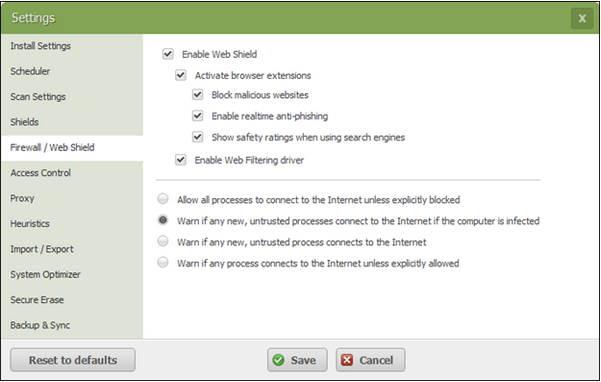
| Webroot: | This solution addresses Webroot SecureAnywhere  You can adjust how the firewall manages processes and whether it should open an alert when it does not recognize a process. To change firewall alert settings:
| |
| Webroot: | Did I answer your question? |
|
| Webroot: |  |
Powered by noHold, Inc. U.S. Patent No. 10,659,398