
| Guest | Install SecureAnywhere | ||||
| Webroot | Summary:You can reinstall Webroot (As long as your license is still active and valid) by visiting https://www.webroot.com/us/en/home/products/wsa-installer-download
|
| Products | Platforms |
| Webroot SecureAnywhere | Windows and Mac |
If reinstalling on Mobile, please click here.
Solution:
Follow the instructions below to install Webroot SecureAnywhere. An Internet connection is required to install the software.- Go to https://www.webroot.com/us/en/home/products/wsa-installer-download
- Select if you are installing for PC or Mac.
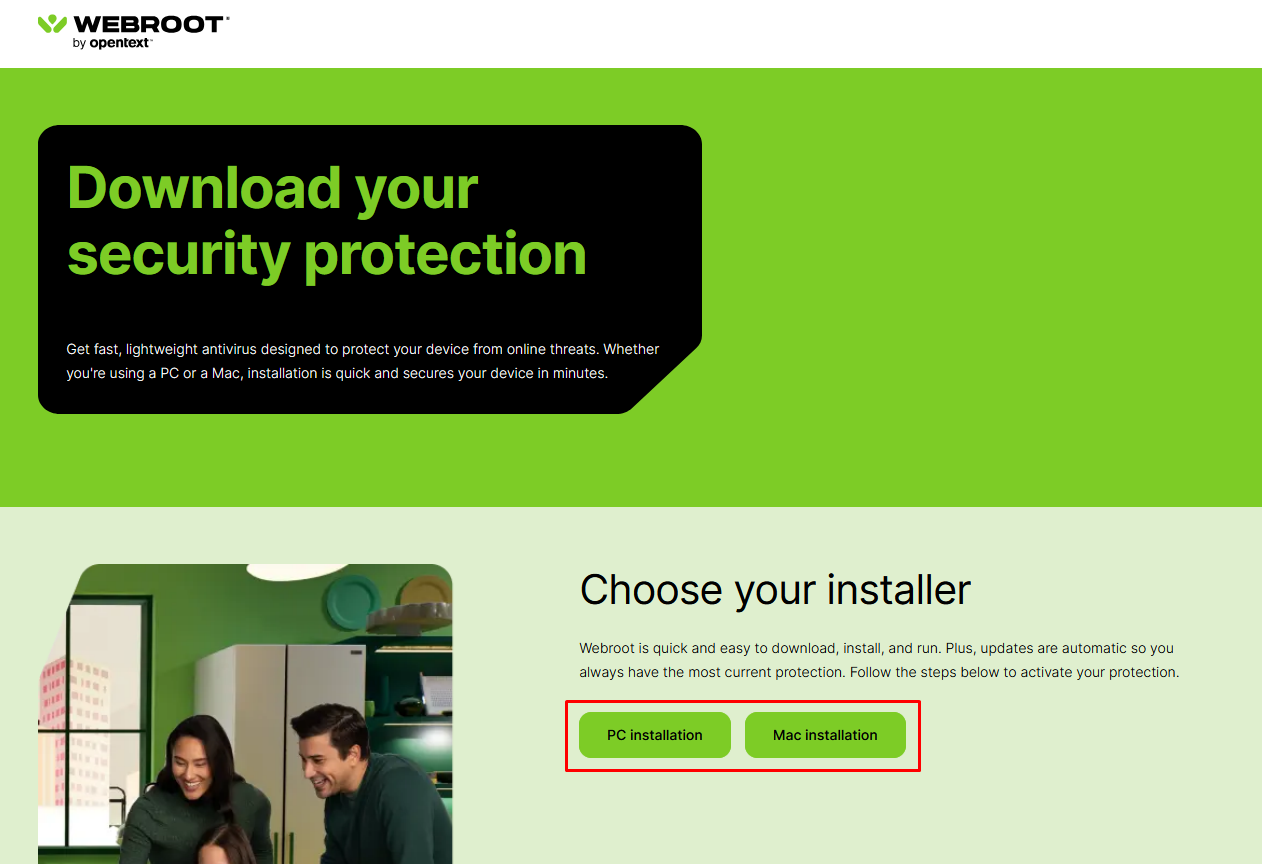
- Locate the downloaded file and launch the installer.
- When prompted, enter your keycode and click Agree and Install.
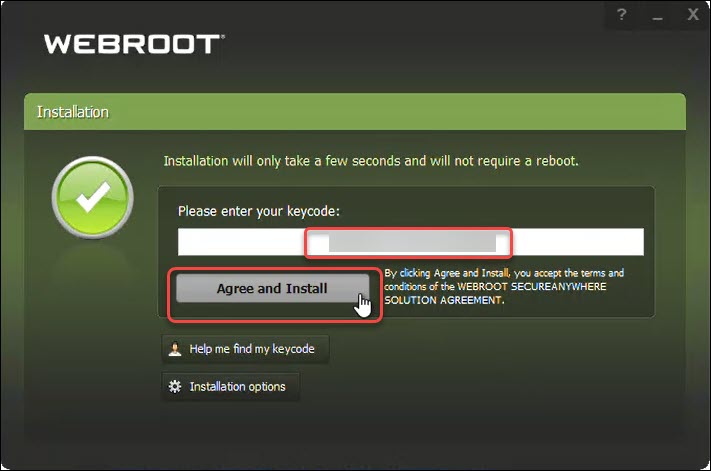
- If installing on Windows, you will be asked if Webroot is allowed to make changes. Please click Yes.
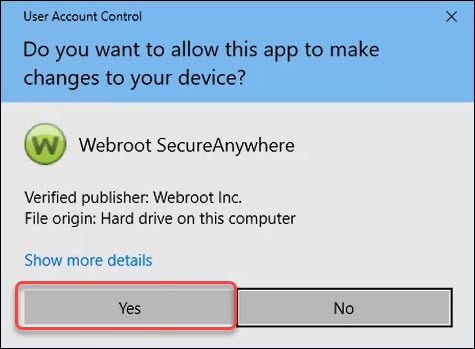
If installing on a Mac, you will be prompted to allow Webroot Full Disk Access. This allows Webroot to access your Apple files and scan your system. For more details, please click here.
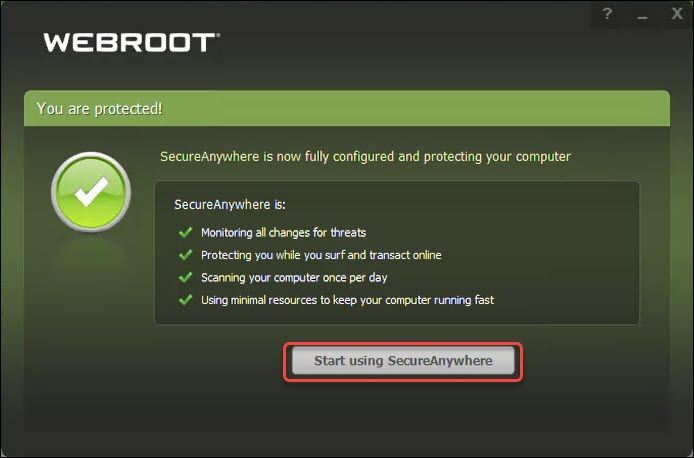
- Webroot will run a scan, and when completed, click Start using SecureAnywhere.

Powered by NOHOLD Inc. U.S. Patent No. 10,659,398