
| Guest | You want to save a scan log | |
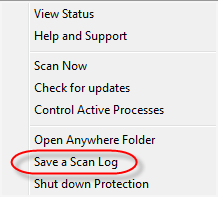
| Webroot | This solution addresses Webroot SecureAnywhere  If you want to investigate what Webroot SecureAnywhere scanned and what it found, you can save a scan log. This log might be helpful if you are working with Webroot Support to determine the cause of a problem. To save a scan log:
| |
| Webroot | Did I answer your question? |
|
| Webroot |  |
Powered by NOHOLD Inc. U.S. Patent No. 10,659,398